Supabase MCP
Connects AI tools to your Supabase projects
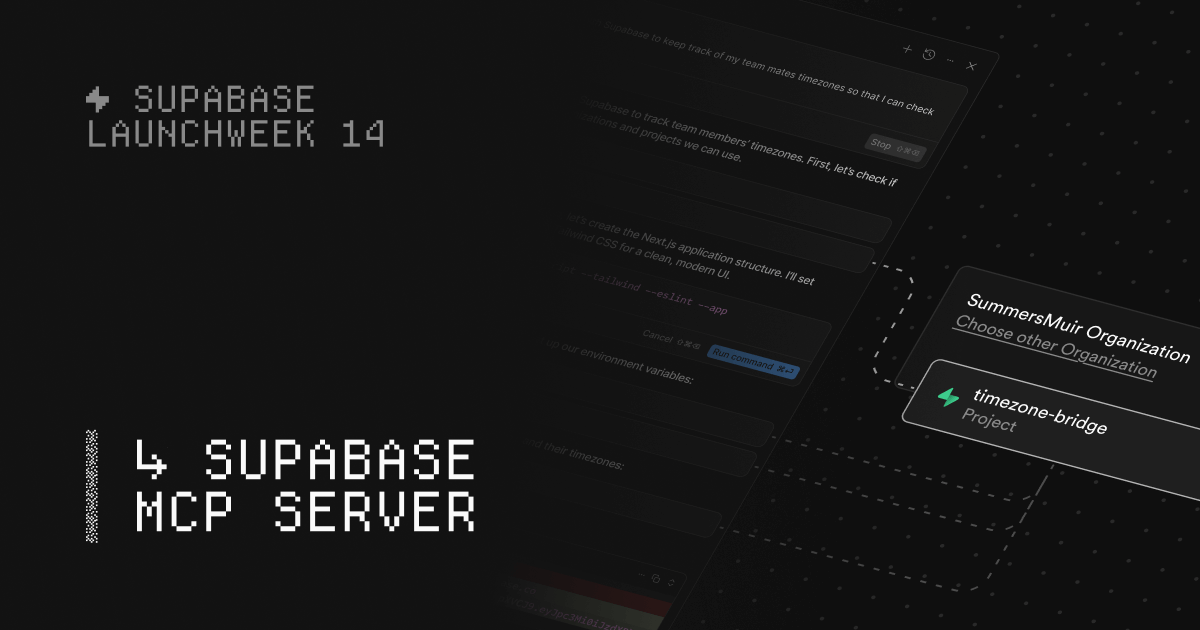 Supabase MCP
Product images: Supabase MCP
Last verified: September 30, 2026
Maintenance status
ActiveMoved from supabase-community/supabase-mcp to supabase/mcp in 2026. Latest npm release 0.13.0 (September 17, 2026). Supabase documents the hosted server at mcp.supabase.com as the main setup.
How to Install Supabase MCP
$claude mcp add --scope project --transport http supabase "https://mcp.supabase.com/mcp"Requires Claude Desktop, Cursor, Windsurf, or another MCP-compatible client.
Setup by client
Cursor (~/.cursor/mcp.json)
{
  "mcpServers": {
    "supabase-mcp": {
      "url": "https://mcp.supabase.com/mcp"
    }
  }
}
VS Code (.vscode/mcp.json)
{
  "servers": {
    "supabase-mcp": {
      "type": "http",
      "url": "https://mcp.supabase.com/mcp"
    }
  }
}
Claude Code (terminal)
claude mcp add --transport http supabase-mcp https://mcp.supabase.com/mcpAdd any API keys or environment variables the server's README lists.
About Supabase MCP
Supabase MCP is Supabase's official Model Context Protocol server. It lets Claude, Cursor, ChatGPT, Codex, VS Code and other AI tools work with your Supabase projects: list tables, run SQL, apply migrations, deploy Edge Functions, read logs and manage branches. Most people connect to the hosted server at https://mcp.supabase.com/mcp and sign in with OAuth, so there is nothing to install. The server is free and open source (Apache 2.0); you pay only for your normal Supabase plan and usage.
Quick facts (as of September 30, 2026)
| Supabase MCP | |
|---|---|
| Maker | Supabase |
| Hosted endpoint | https://mcp.supabase.com/mcp |
| Local (Supabase CLI) | http://localhost:54321/mcp, limited tool set, no OAuth |
| Self-hosted Supabase | Available behind the internal API, limited tool set, no OAuth, not meant to be exposed to the internet |
| Authentication | OAuth in the browser (dynamic client registration, no token needed); scoped personal access token for CI |
| Safety options | read_only=true, project_ref=<id> and features=<groups> URL parameters |
| Source code | github.com/supabase/mcp (moved from supabase-community/supabase-mcp) |
| npm package | @supabase/mcp-server-supabase, latest 0.13.0 (September 17, 2026) |
| License | Apache 2.0 |
| Price | No MCP fee. Normal Supabase plan and usage charges apply. |
| Official docs | supabase.com/docs/guides/ai-tools/mcp |
What it does
The server turns Supabase platform actions into tools your AI client can call. You ask something like "what tables are in my database?" or "add a profiles table with a migration" and the agent calls the matching tool against your project, with the permissions you granted when you signed in.
Supabase first launched the server on April 4, 2025 as a local npx package that needed a personal access token. On October 3, 2025 it launched the remote (hosted) server, added OAuth sign-in, and added support for local projects run with the Supabase CLI. The hosted URL is now the setup Supabase documents for every client.
Tools
Tools are grouped into feature groups. All groups except Storage are on by default. This is the list in Supabase's docs:
| Group | Tools |
|---|---|
| Database | list_tables, list_extensions, list_migrations, apply_migration, execute_sql |
| Debugging | query_logs (read-only SQL over project logs), get_advisors (security and performance advisors) |
| Development | get_project_url, get_publishable_keys, generate_typescript_types |
| Edge Functions | list_edge_functions, get_edge_function, deploy_edge_function |
| Account management | list_projects, get_project, create_project, pause_project, restore_project, list_organizations, get_organization, get_cost, confirm_cost |
| Docs | search_docs (searches Supabase documentation) |
| Branching (experimental, paid plans) | create_branch, list_branches, delete_branch, merge_branch, reset_branch, rebase_branch |
| Storage (off by default) | list_storage_buckets, get_storage_config, update_storage_config |
Account management tools are turned off when you scope the server to one project. The group names you can pass to features are account, docs, database, debugging, development, functions, branching and storage.
Recent releases, from the package changelog:
- 0.13.0 (September 17, 2026): destructive SQL must be confirmed through MCP elicitation (a breaking change), a local
--httpmode for the npm package, and URL-based collection of Edge Function secrets. - 0.12.0 (September 4, 2026): cost confirmation prompts before creating a project or a branch, and grouped results from
get_advisors. - 0.10.0 (August 10, 2026): the
query_logstool for custom SQL queries over logs.
How to set it up
Supabase's docs have a configuration panel that builds the URL for your client, project and options. The steps below are the ones Supabase publishes. In every case you sign in to Supabase in a browser the first time you connect, and you should pick the organization that contains the project you want.
Claude Code
Supabase's documented command adds the server to your project config:
claude mcp add --scope project --transport http supabase "https://mcp.supabase.com/mcp"
Then, in a regular terminal (not the IDE extension), run claude /mcp, select the "supabase" server and choose "Authenticate". You can also put the same server in .mcp.json with "type": "http" and the URL above.
Claude.ai and ChatGPT
Supabase is listed as a connector in both. Install it from the Claude.ai connector directory or the ChatGPT apps directory and sign in.
Cursor
Add this to .cursor/mcp.json (or ~/.cursor/mcp.json to use it in every project):
{
  "mcpServers": {
    "supabase": {
      "url": "https://mcp.supabase.com/mcp"
    }
  }
}
After signing in, check the connection under Settings, Cursor Settings, Tools & MCP. The Cursor CLI uses the same config: agent mcp enable supabase, then agent mcp login supabase.
VS Code
Add this to .vscode/mcp.json:
{
  "servers": {
    "supabase": {
      "type": "http",
      "url": "https://mcp.supabase.com/mcp"
    }
  }
}
Codex, Gemini CLI and GitHub Copilot CLI
- Codex:
codex mcp add supabase --url "https://mcp.supabase.com/mcp", thencodex mcp login supabase. - Gemini CLI (version 0.20.2 or later):
gemini mcp add -t http supabase "https://mcp.supabase.com/mcp", then/mcp auth supabase. Supabase also publishes a Gemini CLI extension that bundles the server with its agent skills. - GitHub Copilot CLI:
copilot mcp add --transport http supabase "https://mcp.supabase.com/mcp", thencopilot -i /mcp.
Supabase's docs also cover Grok, OpenCode, Factory, Goose, Antigravity, Kiro, Devin Desktop, Kimi Code, Warp, fx and omp. For a client not on the list, copy the URL into whatever format that client expects.
One-step plugin
Supabase's plugin for AI coding agents installs the MCP server together with Supabase's agent skills:
npx plugins add supabase-community/supabase-plugin
Running the npm package yourself
The @supabase/mcp-server-supabase package still ships a mcp-server-supabase command. In stdio mode it needs a personal access token, passed with --access-token or the SUPABASE_ACCESS_TOKEN environment variable, and accepts --project-ref, --read-only and --features. Running npx @supabase/mcp-server-supabase with no token exits with an error. Supabase's current docs point everyone to the hosted URL instead, and its launch post for the remote server lists the problems with the old local setup: Node.js version issues, per-OS command differences, and tokens that were easy to commit to source control by accident.
Authentication
By default the hosted server uses OAuth with dynamic client registration. Your client opens a browser, you log in to Supabase and grant the client access to an organization. You do not create a personal access token.
Two cases need manual setup:
- CI and other places without a browser. Create a scoped personal access token in your Supabase account, scope it to the project, and grant only the permissions your tools need (Supabase's token docs list the permission each MCP tool requires). Send it as
Authorization: Bearer <token>and putproject_refin the URL. Not every MCP client supports custom headers. - Clients that need an OAuth client ID and secret (Supabase gives Azure API Center as an example). Create an OAuth app in your Supabase organization. Supabase's docs say all scopes are currently required, with finer-grained scopes planned.
Read-only mode and project scoping
The server has three URL parameters that you can combine:
| Parameter | What it does |
|---|---|
read_only=true | Runs all queries as a read-only Postgres user |
project_ref=<id> | Limits the server to one project and turns off account-level tools |
features=database,docs | Exposes only the tool groups you list |
Example: https://mcp.supabase.com/mcp?project_ref=abc123&read_only=true&features=database,docs
Read-only mode is enforced at the Postgres role level, not by asking the model to behave. Without it, execute_sql and apply_migration can change your data and schema.
Security warnings from Supabase
Supabase's docs open with a caution that connecting an LLM to your projects carries security risks. The main points:
- Prompt injection. Data in your tables can contain instructions. Supabase's example is a support ticket that tells the model to run
select * from <sensitive table>and insert the result as a reply; if a developer with broad permissions asks their AI client to read that ticket, the client may try to run the query. The server wraps SQL results with extra instructions telling the model not to follow commands in the data, but Supabase says this is not foolproof. - Keep manual approval on. Most clients ask before each tool call. Supabase recommends keeping that on for interactive work. An unattended routine should get only pre-approved, project-scoped, read-only tools and should stop and report instead of writing.
- Protect production data. Connect to a production project only when the task needs production evidence, and use project scoping, read-only mode and restricted feature groups when you do. Supabase's October 2025 launch post was stricter: it said the server was designed for development and should not be connected to production databases.
- Do not give it to your customers. The server runs with your developer permissions. It is a tool for building your app, not a way to let end users query their data.
- Use branching. Make schema changes on a development branch and merge them when they work.
For self-hosted Supabase, access to the MCP endpoint is denied by default. Supabase says not to allow connections from the internet and to reach it only over a VPN or an SSH tunnel.
Pricing (as of September 2026)
The MCP server has no fee of its own. What you pay depends on your Supabase plan and on what the agent does:
| Supabase plan | Price shown on supabase.com/pricing | Notes relevant to MCP |
|---|---|---|
| Free | $0 per month | 2 active projects, 500 MB database per project, projects paused after 1 week of inactivity, no branching |
| Pro | From $25 per month | Includes $10 per month in compute credits; branching from $0.01344 per branch, per hour (Micro compute) |
| Team | From $599 per month | Adds SSO for the Supabase Dashboard, SOC 2 and ISO 27001, 14-day backups, 28-day log retention |
| Enterprise | Custom | Contact sales |
Tools that create things can cost money. create_project adds a project (additional projects on paid plans start from $10 per month), and create_branch starts a preview branch billed for its own compute, disk and egress. Branch usage is not covered by the Pro plan's spend cap, and compute credits do not apply to branching compute. The server asks you to confirm the cost before creating a project or branch, so read the prompt before you approve it.
Limits to know about
- Branching tools need a paid plan and are marked experimental.
- Storage tools are basic and off by default: list buckets and read or update storage config.
- Local CLI and self-hosted servers offer only a subset of tools and no OAuth 2.1.
- Feature groups. Supabase recommends using
featuresto expose only the tool groups you need, which reduces what the agent can do. - OAuth scopes. Supabase's docs say all scopes are currently required for a manual OAuth app, so use a scoped token when you need narrow permissions.
Supabase MCP vs other database MCP servers
| Server | What it covers | How you connect | Best when |
|---|---|---|---|
| Supabase MCP (this page) | Database plus Supabase platform: migrations, Edge Functions, logs, advisors, branches, projects | Hosted URL with OAuth; local CLI endpoint | Your app runs on Supabase |
| Neon MCP | Neon serverless Postgres projects, branches, queries and schema changes | Hosted at https://mcp.neon.tech/mcp with OAuth or API key; Neon marks its local stdio package deprecated | Your Postgres runs on Neon |
| PostgreSQL MCP server | Read-only SQL and table schemas for any Postgres database | Connection string, local | You only need read access to a plain Postgres database. The reference server is archived and no longer maintained. |
@supabase/mcp-server-postgrest | CRUD through PostgREST, plus a SQL to REST converter | Local, from the same Supabase repo | You want an agent to work through your app's REST API rather than with admin rights |
For more options, see our list of database MCP servers, including MySQL, MongoDB, SQLite, ClickHouse and Redis. If you use Supabase from Claude Code, our Claude Code MCP servers list covers what else pairs well with it. Supabase MCP is a remote MCP server: it runs on Supabase's side, not on your machine.
Who it is for
A good fit if:
- Your app's backend is on Supabase and you want your coding agent to create tables, write migrations, generate TypeScript types and deploy Edge Functions without switching to the dashboard.
- You want the agent to check security and performance advisors and fix what they flag.
- You use a supported client and prefer an OAuth sign-in over pasting tokens.
- You work on development branches and want the agent to create, reset, rebase and merge them.
Not the right tool if:
- You want to let your app's end users query data through an AI. Supabase says not to give the server to customers.
- You need to point an agent at production data with write access and no human review.
- You are on the Free plan and need branching.
- Your database is Postgres outside Supabase. Use a general Postgres server instead.
If the same app takes payments through Stripe, the Stripe MCP setup page covers Stripe's own server and how its write access works.
What we don't know
- When finer-grained OAuth scopes will ship. Supabase says they are planned but gives no date.
- When branching will leave experimental status.
- Exact rate limits on the hosted server. Supabase does not publish them.
How this page was put together
We compared Supabase's published material: the Supabase MCP documentation, the supabase/mcp README and changelog, the npm registry entry and package for @supabase/mcp-server-supabase, Supabase's personal access token, self-hosting, plugin and branching usage docs, the pricing page, and Supabase's April 2025 and October 2025 launch posts, all checked on September 30, 2026. For the comparison we read Neon's MCP docs and the archived reference Postgres server README. We did not run the server against a live project. Supabase ships new versions often, so check the linked sources before relying on a detail.
Sources
- Supabase docs: Supabase MCP Server
- GitHub: supabase/mcp README
- GitHub: mcp-server-supabase changelog
- GitHub: From development to production (branching workflow)
- GitHub: @supabase/mcp-server-postgrest README
- npm: @supabase/mcp-server-supabase
- Supabase docs: personal access tokens and MCP tool permissions
- Supabase docs: enabling MCP on self-hosted Supabase
- Supabase docs: plugin for AI coding agents
- Supabase docs: manage branching usage
- Supabase pricing
- Supabase blog: Supabase MCP Server (April 4, 2025)
- Supabase blog: Announcing the Supabase Remote MCP Server (October 3, 2025)
- Neon docs: Neon MCP Server
- GitHub: archived reference PostgreSQL MCP server
Pricing
Open Source: from Free (normal Supabase plan costs apply; Pro from $25/month as of September 2026)
Our Take on Supabase MCP
The first server to add if your app runs on Supabase: official, free, hosted, and it covers migrations, Edge Functions, logs, advisors and branches, not just SQL. Connect it with project_ref and read_only=true until you need writes, keep tool approval on, and do schema work on a development branch. For Postgres outside Supabase, look at Neon MCP or a general PostgreSQL MCP server.
Alternatives to Supabase MCP
MongoDB's official MCP server for queries, aggregations and Atlas admin
View MongoDB MCP →